




















- productivity
- meetings
How to stop taking notes during meetings and still remember everything
Taking notes during a conversation costs you attention. Here is how to listen fully and still walk out with a summary, a task list and answers on demand.
Notiqer · · 5 min read · Updated
You know the feeling: someone says something important while you’re still finishing the previous sentence. After the meeting you have half a page of shorthand and a nagging sense that something slipped through. Taking notes by hand forces you to choose between listening and writing, and a good meeting needs both.
This post is about not having to choose. First, why live notes so often let you down. Then what a meeting looks like when you write nothing down and still leave with everything.
Why live notes let you down
- You write what you have time for, not what matters. The best ideas tend to come near the end, just as your attention fades and your hand falls behind.
- You lose the context. A week later, “Martha - screens - Fri” doesn’t tell you which screens, why Friday, or who decided.
- Tasks slip away. Agreements scattered across notebooks, emails and chats never add up to a list you can tick off. Everyone remembers something different.
- The notes depend on who took them. One person writes down decisions, another quotes, and a third nothing at all, because they were the one presenting.
What you miss while you write
Messy notes aren’t the only cost. While you’re looking at a page or a keyboard, you also miss what no note can hold.
- The follow-up you never asked. Busy writing down an answer, you’re less likely to dig deeper, and the follow-up is often the most valuable part of the conversation.
- Tone and nuance. A client’s “yes, but…” means something very different from a plain “yes”. Your notes only keep the “yes”.
- The connection. In a job interview or a client call, the other side can tell whether you’re listening or typing.
A meeting with Notiqer
Before
For a meeting around the table, put your phone down and start recording in the app. For an online call in Google Meet, Teams or Zoom, use the Chrome extension: it records the sound of the meeting’s tab and, if you like, your microphone too. No bot joins the call, and nobody else has to install anything.
One rule always applies: let everyone know the conversation is being recorded. It’s a matter of trust, and often of law too.
During
You listen, you ask, you look at people. Nothing to write and no recording to babysit. If something occurs to you that nobody said out loud, you can add it to the same note later.
After
Save the recording, and Notiqer takes care of the rest. Moments later you have:
- a transcript split by speaker, where clicking a sentence plays that moment of the recording,
- a summary of what was discussed, what you agreed and what happens next, laid out in a template that fits the meeting, such as sprint planning or a job interview,
- tasks with owners: everything someone promised to do, with a deadline if one was mentioned. They wait for your approval, so nothing lands on the list without your say.
One meeting, two ways
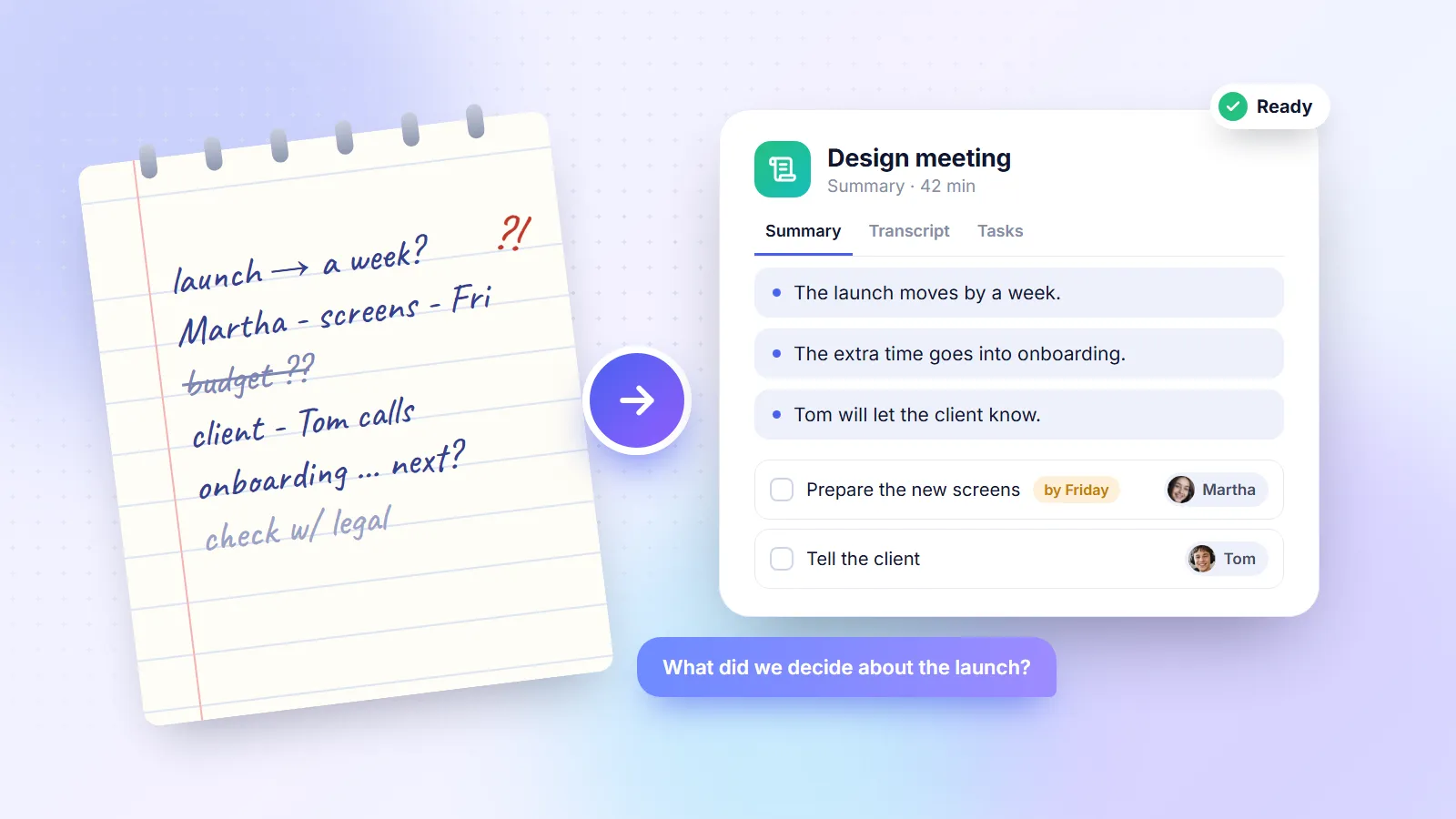
A twenty-minute meeting about an app launch. Here’s the page you’d leave with:
launch → a week?
Martha - screens - Fri
budget??
client - Tom calls
And here’s the note in Notiqer, without you writing a single word:
Summary
- The launch moves by a week so onboarding can be polished.
- The extra time goes into new welcome screens.
- Tom will tell the client about the new date.
Tasks
- Prepare the new onboarding screens - Martha, by Friday
- Tell the client about the new date - Tom
The page tells you something happened. The note tells you what came of it and who’s on it.
Getting back to a meeting a week later
Most of the time you don’t need the whole recording, just one fact. Instead of scrubbing through it:
- Ask. In the chat, type “What did we decide about the launch?” The answer comes with a link to the note and the moment in the recording it came from.
- Click a sentence. Every line of the transcript leads to its place in the recording, so you can check exactly who said what.
- Open a person’s page. The tasks someone took on across all your meetings are gathered in one place.
Five habits that help
- Name recordings right away. “Meeting” is a bad title. “Launch plan - Sep 12” is a good one.
- Use collections and tags. One collection per project or client keeps everything close.
- Go back to tasks, not recordings. The task list is the shortest path from talk to action.
- Put names to voices. Once a voice is linked to a person, their lines and tasks carry their name in every meeting that follows.
- Match the template to the meeting. A stand-up, a client call and a board meeting each need a different kind of summary.
Should you stop writing altogether?
Not always. A sketch in the margin, an idea of your own or a question you want to ask at the end are still worth jotting down. The difference is that you write what you want to, not what you have to so nothing gets lost. The recording remembers the rest.
In short
In the meeting, listen and talk. After it, read the summary, accept the tasks and file the note in a collection. A week later, instead of digging through a notebook, just ask.