















No bot in your meeting
No automated assistant joins the call or shows up in the participant list. Notiqer records on your side, so the meeting looks exactly as it always does.
Less writing. More doing.
Stop typing and start listening. Notiqer records the conversation, picks out the key decisions and sorts out who does what. After the meeting you get a finished note you can come back to any time.
Phone, browser and computer. One account.


 Martha
 Tom
TomDesign meeting
4 people · 00:00
 Martha00:04
Let's move the launch by a week so we can polish onboarding.
 Tom00:11
Agreed. I'll update the launch plan and let the client know.
Martha00:18
Then I'll have the new screens ready by Friday.
The team reviewed the app's launch date. The launch moves by a week to give onboarding more polish, and the work until then is already divided up.
Key decisions
MarthaTomTomWhat did we decide about the launch?
Features
You add the material and Notiqer takes care of the rest. Nothing to click, nothing to babysit.
How it works
A meeting, a lecture, a video or a document. Four simple steps to a note you can come back to any time.
Signing up is free and takes a moment. One account works on your phone, in the browser and on your computer.
Record a conversation on your phone, in the browser or with the browser extension. Or paste a video link or add a file.
It writes down the conversation by speaker, summarises it and picks out the tasks. You can close the app in the meantime.
Fix a name in the transcript, ask the chat about a detail, download the note or send someone a link.
Note sources
Record a conversation, paste a link or add a file. Everything goes into one library and becomes a note you can read, listen to and ask questions about.
Click a source to see how it works.
Step by step
Start recording on your phone, in the browser or with the browser extension in an online meeting. When you stop, the recording becomes a note with a transcript, a summary and tasks.
Step by step
Paste a YouTube video address and Notiqer prepares a transcript and a summary. Click a sentence in the transcript and the video jumps to that moment.
Step by step
Paste a link to an article and Notiqer keeps only the text, without ads or menus. You get a summary, and if you’d rather listen, the article is read aloud.
Step by step
Add a PDF, DOCX, TXT or Markdown file. Notiqer reads the content, prepares a summary and lists the tasks, plus an audio version so you can listen to the document on the go.
Step by step
Upload an audio or video file, from a voice recorder or a webinar recording, for example. Notiqer transcribes the conversation by speaker and turns it into a note.
Step by step
Jot down a thought, a plan or a to-do list in an editor with headings and lists. You can listen to the note later, and since it sits next to recordings and documents, the chat can answer from it too.
Meeting recording
Google Meet, Zoom, Microsoft Teams, Webex and any other meeting on your computer. Notiqer records your system audio, and nobody else on the call has to install anything.
No automated assistant joins the call or shows up in the participant list. Notiqer records on your side, so the meeting looks exactly as it always does.
Most note-taking tools only work in online calls. Notiqer records face-to-face conversations too: put your phone on the table, and after the meeting you get the transcript, the decisions and the tasks.
When you record a conversation, always let the other participants know.
Meeting tools
One recording gives you a transcript split by speaker, a summary, tasks and an audio version. On your phone, in the browser and on your computer.
Notiqer tells the voices in a conversation apart and labels every line with its speaker and time.
Learn morePress play and the word being spoken lights up in the text. Click a sentence to go back to that moment.
Learn moreWhat was discussed, what you agreed and what comes next. Short and clear, without scrubbing through the recording.
Learn moreEverything someone promised to do lands on a task list with the person responsible. You just tick off what is done.
Learn moreYour note also gets an audio version. Listen to it on the way, on a walk or in the car.
Send a link to the note: anyone with it can read it, no account needed. Or download it as a document or as subtitles.
Learn moreRecord wherever you are. Everything lands in one library, on every device.
Learn more50+summary templates
A sales rep, a recruiter, a board and a student each need something different after a meeting. Pick a template, and the summary falls into sections that fit the conversation.
See the templatesAI chat
The chat knows your recordings, videos and documents and answers in plain words. Every answer points to the note and the moment it came from.
Ask about one meeting or all of them at once. Notiqer finds agreements, decisions and tasks, even from months ago.
Every answer links to the note and the moment in the recording. Click it to go exactly where it was said.
Ask for a roundup of topics from several conversations, a list of open tasks or a short recap of the week.
Learning
From a lecture, a meeting or a video, Notiqer makes flashcards and a quiz, and reviews bring the material back before you forget it.
A question on the front, the answer on the back and the moment in the recording it came from. Turn a card over and test yourself.
How well did you remember?
More about flashcardsPick an answer and see straight away whether it’s right and why.
How does raising interest rates usually affect inflation?
Correct!
Not quite
Dearer credit cools demand, and prices respond only after a few quarters.
Cards from all your notes in one daily review, with a morning reminder on your phone.
Flashcards, quizzes and reviews come with the Pro and Max plans.
Who it’s for
Team meetings, client calls, interviews, lectures or podcasts. See how Notiqer helps people who spend their days talking and listening.

Students and researchers
Turn a lecture, a YouTube video or a long paper into a note, then into flashcards and a quiz. Listen on the go, and reviews bring the material back before you forget it.
Journalists and creators
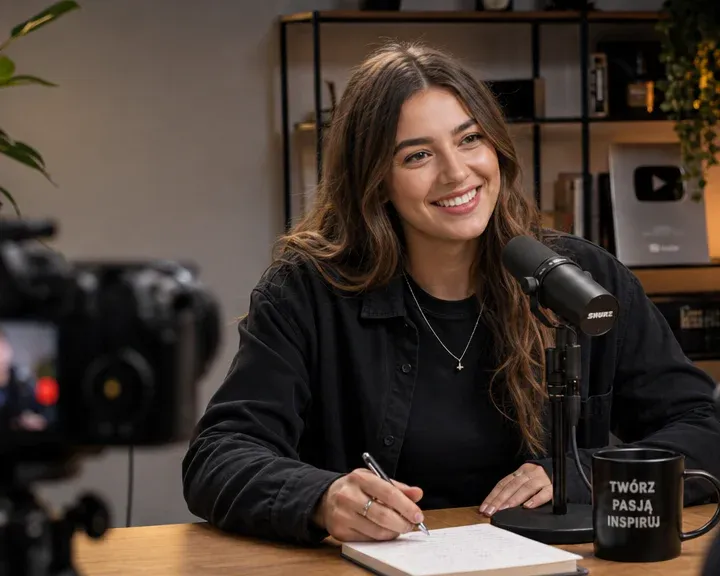
Record an interview or a podcast and get text ready to work with. Click a sentence to hear the exact quote, and quickly find anything that was said.

Managers
You run several meetings a day and have no time to write them up. Notiqer records each one, pulls out the decisions and assigns the tasks, so nothing gets stuck between meetings.

Sales
Focus on the client, not on taking notes. After the call you have their needs, objections and agreements written down, and the promises you made land on your task list.

Recruiters and HR
Talk to the candidate instead of writing down their answers. Notiqer transcribes the whole interview, and the summary makes it easy to compare candidates and share impressions with your team.

Consultants and coaches
Be fully present in the session. Notiqer records the conversation face to face or online, sums up what you agreed and reminds you where you left off before the next meeting.
Languages
Notiqer transcribes conversations in 100 languages. Your summary, tasks and chat answers come in your own language - any of the 21 the app speaks.
Most used
 Polish
 English
 German
 French
 Spanish
 Italian
 Ukrainian
 Portuguese
 Dutch
Dutch Czech
Czech Chinese
 Japanese
Try:
Your note, in your language
Your summary, tasks and chat answers come in your own language, whatever language the conversation was in.
Pricing
Start with a free one-month trial. Paid plans differ in minutes, maximum recording length and features, and cost less when you pay yearly.
$0
A one-month trial to test Notiqer on your own recordings.
$9.99$4.16/ month
$49.99 a year
For everyday notes from your meetings.
$19.99$8.33/ month
$99.99 a year
For heavy recorders and learners.
$29.99$19.99/ month
$239.99 a year
For the longest recordings, with live text as you record.
| Compare plans | Free$0Try for free | Lite$9.99$4.16 / monthChoose plan | Pro$19.99$8.33 / monthChoose plan | Max$29.99$19.99 / monthChoose plan |
|---|---|---|---|---|
| Minutes and recordings | ||||
| Minutes for transcripts and the narrator | 100 to start with | 600 / month | 2520 / month | 3240 / month |
| Single recording up to | 1 h | 2 h | 3 h | 5 h |
| Plan length | One-month trial | Monthly or yearly | Monthly or yearly | Monthly or yearly |
| Extra minute packs | No | Yes | Yes | Yes |
| Note sources | ||||
| Recording in the app and the browser | Yes | Yes | Yes | Yes |
| Meet, Zoom and Teams meetings (Chrome extension) | Yes | Yes | Yes | Yes |
| Live text while you record | No | No | No | Yes |
| Custom vocabulary for specialized terms | No | No | No | Yes |
| YouTube videos | Yes | Yes | Yes | Yes |
| Audio and video files | No | Yes | Yes | Yes |
| Up to 3 files joined into one recording | No | No | Yes | Yes |
| PDF, DOCX, TXT and other documents | No | Yes | Yes | Yes |
| Articles from web pages | No | Yes | Yes | Yes |
| Typed notes | No | Yes | Yes | Yes |
| Transcripts and notes | ||||
| Transcripts by speaker | Yes | Yes | Yes | Yes |
| Note summaries | Yes | Yes | Yes | Yes |
| Narrator: listen to your notes | Yes | Yes | Yes | Yes |
| Download formats | PDF, Word, Markdown, text, subtitles | PDF, Word, Markdown, text, subtitles | PDF, Word, Markdown, text, subtitles | |
| Summary templates, including your own | No | Yes | Yes | Yes |
| Tasks with owners and dates | No | Yes | Yes | Yes |
| People and voices | No | Yes | Yes | Yes |
| Transcript translations with voice-over | No | Yes | Yes | Yes |
| AI | ||||
| Ask AI across all your notes | No | Yes | Yes | Yes |
| Chat with a note | No | Yes | Yes | Yes |
| Learning | ||||
| Flashcards from your notes | No | No | Yes | Yes |
| Quizzes with explanations | No | No | Yes | Yes |
| Spaced reviews and reminders | No | No | Yes | Yes |
FAQ
Quick answers about recording, notes, pricing and privacy.
Yes. For your first month you get 100 minutes to try it out: record a conversation or add a YouTube video, and get a transcript, a summary and a version to listen to. After that you choose Lite, Pro or Max, depending on how much and how long you record. Your notes stay even if you don’t choose a plan right away.
Minutes are what transcription and the narrator run on: every minute of audio that is transcribed or read aloud comes off your balance. Summaries, tasks and the chat don’t use any. Each plan gives you minutes every month, also when you pay yearly, and unused ones don’t carry over to the next month.
You can still read, listen to and edit the notes you have. A new recording is processed once you have more minutes: with your plan’s next period or after buying a minute pack. Or you can have just the part your remaining minutes cover processed right away.
Yes. Cancel a paid plan whenever you like: in the browser from the app’s settings or, if you bought it on your phone, from your App Store or Google Play account. The plan runs until the end of the period you’ve paid for, and your notes stay. If you’re a consumer, you can also withdraw within 14 days of purchase; see the terms of service for details.
No. No automated assistant joins the call or shows up in the participant list, because Notiqer records on your side. Just remember to let the other participants know.
Yes. On a computer Notiqer records the system audio, so you can record a call in Google Meet, Teams, Zoom or Webex. On your phone you can also record a meeting in person.
On Android and iOS phones, in the browser on your computer and as a Chrome extension. You sign in to the same account everywhere, so a note recorded on your phone is waiting in the browser too.
On every plan you can record a conversation in the app or with the browser extension and add a YouTube video. Paid plans also let you add audio and video files such as MP3, M4A, WAV, MP4 or MOV, PDF, DOCX, DOC, RTF, ODT, TXT and Markdown documents, web articles and typed notes. On Pro and Max you can join up to 3 recordings or videos into one note, each file a chapter of it.
No. Just save the recording, and the transcript, summary and tasks appear by themselves. You can close the app in the meantime.
Yes. On every plan you can download a note as a PDF or print it straight away. Paid plans add Word, Markdown and text, and the transcript as SRT or VTT subtitles.
Yes, on every plan. The narrator reads a note, a document or an article aloud, and you pick its voice in the settings. Reading aloud uses minutes.
Notiqer transcribes conversations in 100 languages. You get summaries, tasks and chat answers in your own language: the app speaks 21 of them, from English and Spanish to Japanese and Arabic.
Yes. Only you can see your notes, and answers come only from your own library.
No. We don’t train AI models on your recordings or notes, and the AI providers we use may not use them to train their models.
Yes. In the app you can delete single notes or your whole account with everything in it. You can also have notes deleted automatically once they’re older than a period you choose, from a week to a year. We keep a deleted note’s files for up to 30 days, so a mistake can still be undone with our help.
Each feature’s page has more answers.All features
Security
Your connection to Notiqer is always encrypted, your data is processed in line with the GDPR, and we look after it following the ISO 27001 information security standard. Only you can see your recordings, documents and notes.


Phone, browser and computer. One account.

