





Split by speaker
Every line is assigned to a person. Name the voices and link them to people in Notiqer.
Speech to text
Notiqer turns a recording into text and recognises who is speaking. Click a sentence and the recording jumps to that moment, so any detail is seconds away.
Phone, browser and computer. One account.
How it works
Record a conversation or add an audio or video file, such as MP3, M4A, MP4 or MOV.
It writes down the conversation and splits it by speaker.
Press play and the word being spoken lights up in the text.
Transcript
A transcript in Notiqer is not a wall of text. Every line has its speaker and its moment in the recording, so you find what you’re looking for fast and hear it right away.
Speakers with names. Every line belongs to a voice. Give it a name and link it to a person in Notiqer.
Word by word. Click a line to hear it, and the word being spoken lights up in the text.
Chapters and search. Split the transcript into chapters, search the text and show the lines of one speaker.
Fixes with a pencil. Correct a name or a company name right in the transcript.
Audio and video recordings, from a phone, a voice recorder or an online meeting.
A transcript ready for a document, an email or an article.
On the free plan you download a PDF; paid plans add Word, Markdown and text.
Languages
Notiqer transcribes recordings in 100 languages and works out which one you speak by itself. Nothing to set before you record.




































Pick a language, and Notiqer prepares the translated text and, right after it, a recording in that language. The original stays as it was.
Translations come with the paid plans.
Uses
Anyone who goes back to what was said saves hours of scrubbing through recordings.

Meetings and client calls

Students and teachers
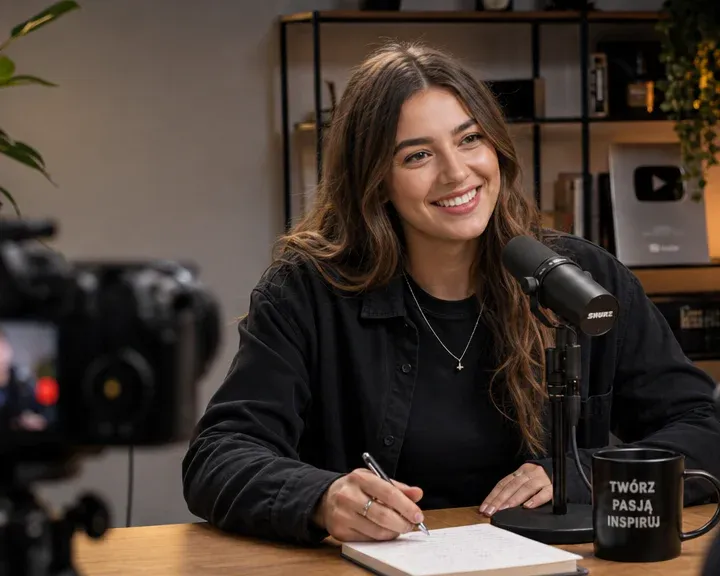
Content creators

Researchers and recruiters
Speech to text
An accurate transcript of the conversation, split by speaker with timestamps.
Every line is assigned to a person. Name the voices and link them to people in Notiqer.
Click any sentence and the player jumps to that spot.
While you listen, the text follows the recording, so it’s easy to read along.
Fix a name or a company name right in the transcript.
Speech to text
Audio and video recordings, such as MP3, M4A, WAV, MP4 or MOV. Adding files comes with the Lite, Pro and Max plans, and you can record in the app on every plan.
100 languages, English and Polish among them. Notiqer works out the language of the recording by itself.
Yes. You can edit any line right in the transcript.
Yes. Every line is assigned to a voice, and you can name the voices and link them to people in Notiqer.
Yes. Search for a word, show the lines of one speaker and split the text into chapters.
Yes, on the paid plans. You get the translated text and, right after it, a recording in that language. The original stays as it was.
PDF, and on the paid plans also Word, Markdown or text. You can print it too.
Yes, on the paid plans. Download the transcript as SRT or VTT subtitles, ready for a player, YouTube or editing.
Yes. Every minute of a transcribed recording comes off your balance of minutes.
A single recording, file or video can run up to an hour on the free plan, 2 hours on Lite, 3 hours on Pro and 5 hours on Max.
Security
Your connection to Notiqer is always encrypted, your data is processed in line with the GDPR, and we look after it following the ISO 27001 information security standard. Only you can see your recordings, documents and notes.

Phone, browser and computer. One account.